10 Best Free Landing Page Optimization Tools
Every tool In this list has a permanent free plan. Under each one, you'll get the real limit and the exact point where the free plan stops carrying you.

Every tool below has a permanent free plan. Under each one, you'll get the real limit and the exact point where the free plan stops carrying you.
Google Optimize shut down in September 2023. VWO's free Starter plan has been cut back since late 2025, and the January 2026 merger with AB Tasty pushed the product upmarket. Both still show up on lists published this year, neither belongs on one.
How this list was put together
Free-plan limits were checked in July 2026 against each vendor's own pricing page, then cross-referenced against third-party pricing trackers. A tool made the list on three conditions:
- The free plan is permanent, not a trial
- No credit card at signup
- The free plan does something useful on a real landing page, not just a demo
Free trials, expiring freemium plans and tiers that cap at a few hundred sessions did not make it. Where a vendor publishes a limit, the number is quoted. Where sources disagree, that is said plainly rather than smoothed over.
What a landing page optimization tool actually does
A landing page optimization tool helps you find and fix the reasons visitors leave without converting. The work splits into five jobs:
- Watch what people do on the page
- Measure how many of them convert
- Find what is slow or broken
- Test a change against the current version
- Check the page works for everyone
No single free tool covers all five. Four or five of them together do, at zero cost.
Free landing page optimization tools compared
Limits verified July 2026.
| Tool | Job | What the free plan gives you | Where it runs out |
|---|---|---|---|
| Microsoft Clarity | Heatmaps, replays | Unlimited sessions, 90-day retention | No surveys, no funnels |
| Contentsquare (was Hotjar) | Replays, surveys | 200k monthly sessions, ~10k replays | Records a slice, not everything |
| PostHog | Replays, experiments | 1M events, 5k replays, 1M flag requests | One project, developer-first UI |
| GrowthBook | A/B testing | Unlimited tests, 3 users, 1M events | Visual editor costs $40/user/mo |
| Statsig | Experiments at volume | 2M events, up to 1M tracked users | Ownership moved to Amplitude |
| Google Analytics 4 | Conversion measurement | Free, no session cap | Sampling on large reports |
| Google Tag Manager | Event tracking | Free, no limits | Needs a day of setup |
| Google Search Console | Pre-click data | Free, 16 months of history | Your own domains only |
| PageSpeed Insights | Speed and Core Web Vitals | Free, unlimited runs | Lab scores differ from real users |
| WAVE / axe DevTools | Accessibility | Free browser extensions | One page at a time |
Tools that show you what visitors do
Heatmaps and session recordings answer the question analytics cannot. Numbers tell you 78% of people leave. Recordings tell you they leave after rage-clicking a button that is not a button.
1. Microsoft Clarity
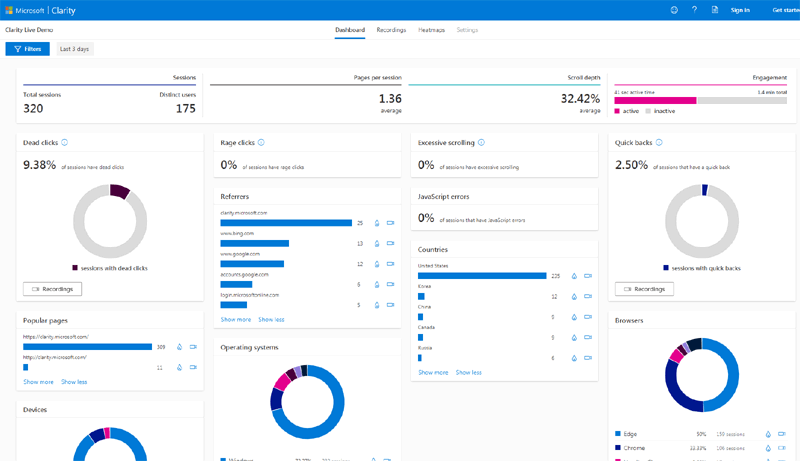
Microsoft Clarity is the best free landing page optimization tool available, and the first thing you should install. It gives unlimited heatmaps and session recordings with no traffic cap and no paid tier to upsell you into.
Clarity records 100% of sessions by default. A page with 100 visitors a day and a page with 100,000 visitors a day both cost nothing. Hotjar's paid plans start around $32 a month for 100 daily sessions, so the gap at any real traffic level is large.
What the free plan includes:
- Click, scroll and area heatmaps
- Session recordings with no session cap
- Rage click, dead click and excessive scroll detection
- AI summaries of behaviour patterns
- Native GA4 integration
- EU data residency
Where it stops: Data lives in the dashboard for 90 days. The API exposes only the last 3 days, so long-term analysis means exporting daily and storing it yourself. Clarity has no surveys, no funnel builder and fairly basic filtering. Microsoft uses aggregated, anonymised Clarity data across its own AI and advertising products, which some teams will not accept.
Best for: Everyone. Install it on day one and only move on after you hit a specific wall.
Pricing: clarity.microsoft.com/pricing
2. Contentsquare (formerly Hotjar)
Hotjar now lives inside Contentsquare, and the free plan you read about online is probably not the one you will get. The two companies fully merged in July 2025. New signups go to Contentsquare. Existing Hotjar accounts are migrating through 2026.
That matters, and most roundups have not caught up. Legacy Hotjar Basic caps recording at 35 sessions per day. On a page pulling 1,000 daily visitors that captures 3.5% of traffic. The newer Contentsquare free tier quotes 200,000 monthly sessions, but only a fraction of those become replays, capped at around 10,000. The 200,000 figure is an analytics number, not a recording number. Check which plan your account sits on before you build a testing programme around it.
What the free plan includes:
- Session replays and unlimited heatmaps
- Basic surveys and feedback widgets
- Conversion funnels
- MCP connection for LLM tools
Where it stops: Sense AI summaries, advanced filtering and deeper funnel work all sit behind the Growth plan at $49 a month. Free-tier funnels sample data once you pass your allowance, and a sampled funnel gives you a percentage of the real picture.
Best for: Teams that want on-page surveys alongside recordings. For recordings alone, Clarity is better and simpler.
3. PostHog
PostHog bundles session replay, feature flags, A/B testing and product analytics behind one script, with a free tier that covers most pre-revenue products. It runs open source and self-hosts if you want the data on your own infrastructure.
What the free plan includes (resets monthly):
- 1 million analytics events
- 5,000 session recordings
- 1 million feature flag requests
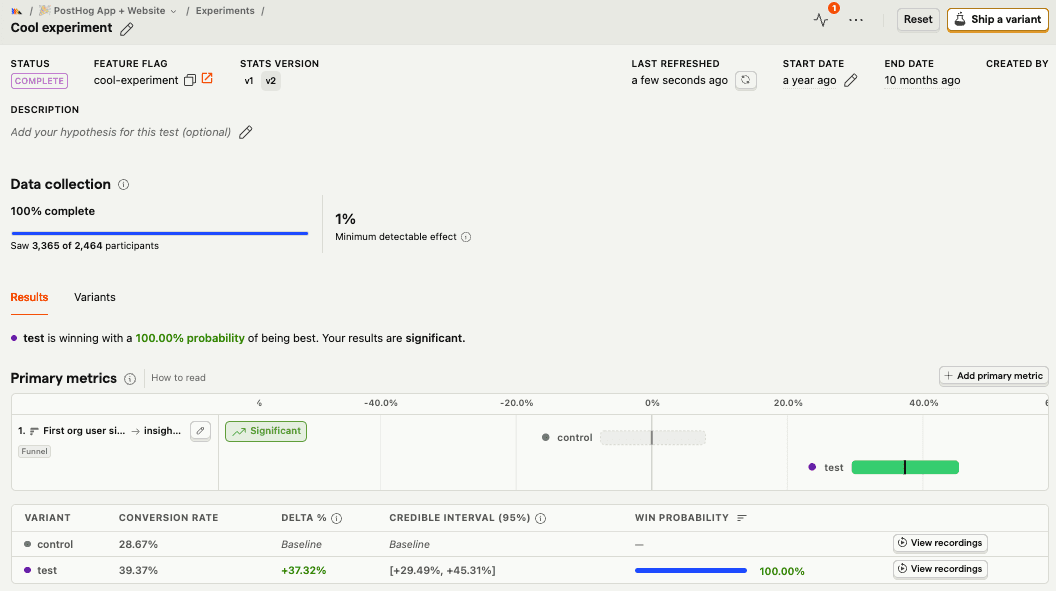
- Experiments, billed against the flag allowance
- 1,500 survey responses
- 100,000 error tracking exceptions
- Unlimited team members, one project, one year of retention
No card required. Going over the limit on the free plan drops events rather than billing you.
Where it stops: One project is the hard ceiling. Run two products and you are paying. The bigger issue is fit. PostHog is built for engineers, and the interface assumes you are comfortable defining events, writing insights and reading a funnel you configured yourself. Marketing teams tend to bounce off it. Replay costs also climb fast once design and support start using recordings for troubleshooting, which is the most common way teams blow past the free tier.
Best for: Technical founders who want one script instead of five.
We recommend Splitsense, especially for product focused teams, agencies and website owners who own multiple digital assets, Splitsense provides a full agentic experience.
Pricing: posthog.com/pricing · More detail: our full PostHog breakdown
Tools that measure whether the page works
4. Google Analytics 4
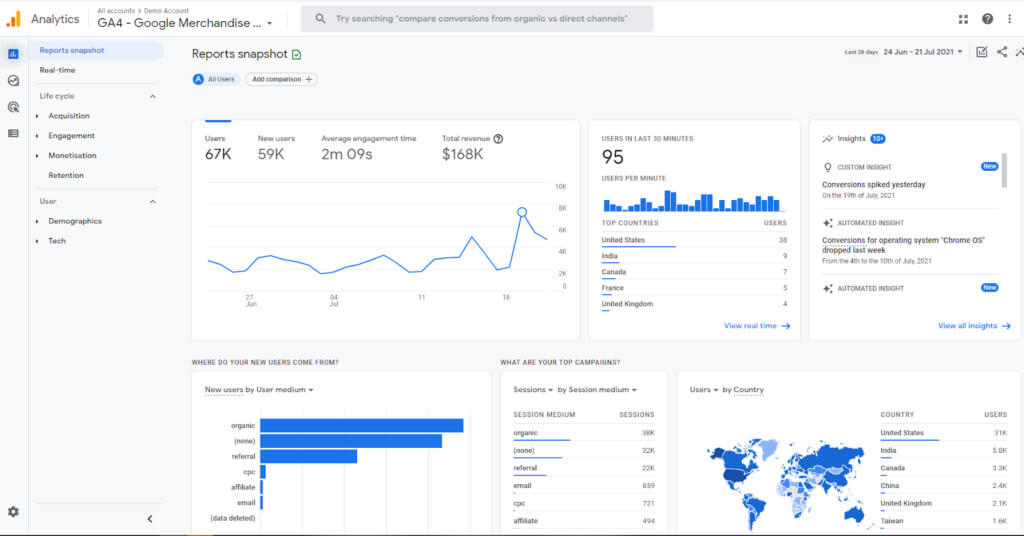
GA4 is free at any traffic volume and remains the default for conversion measurement on landing pages. Set up a conversion event for your form submit or checkout, then read the landing page report.
What the free plan includes:
- Unlimited traffic and events
- Conversion and funnel exploration reports
- Landing page reports with engagement rate, key events and revenue
- Search Console and Google Ads linking
- Free BigQuery export
Where it stops: Large or unusual reports get sampled, and sampling on a low-volume landing page makes small differences unreadable. Standard data retention runs 14 months. The interface still frustrates people who learned Universal Analytics, and setting up a clean conversion event takes real work.
Best for: The quantitative half of the picture. Pair it with Clarity for the qualitative half.
A note on G4A
G4A also has a god awful UX, poor privacy policy and, though free, isn't the best tool in our opinion but it is powerful for the right business and free, hence why we included it.
Not sold on GA4? See our guide to Google Analytics alternatives.
5. Google Tag Manager
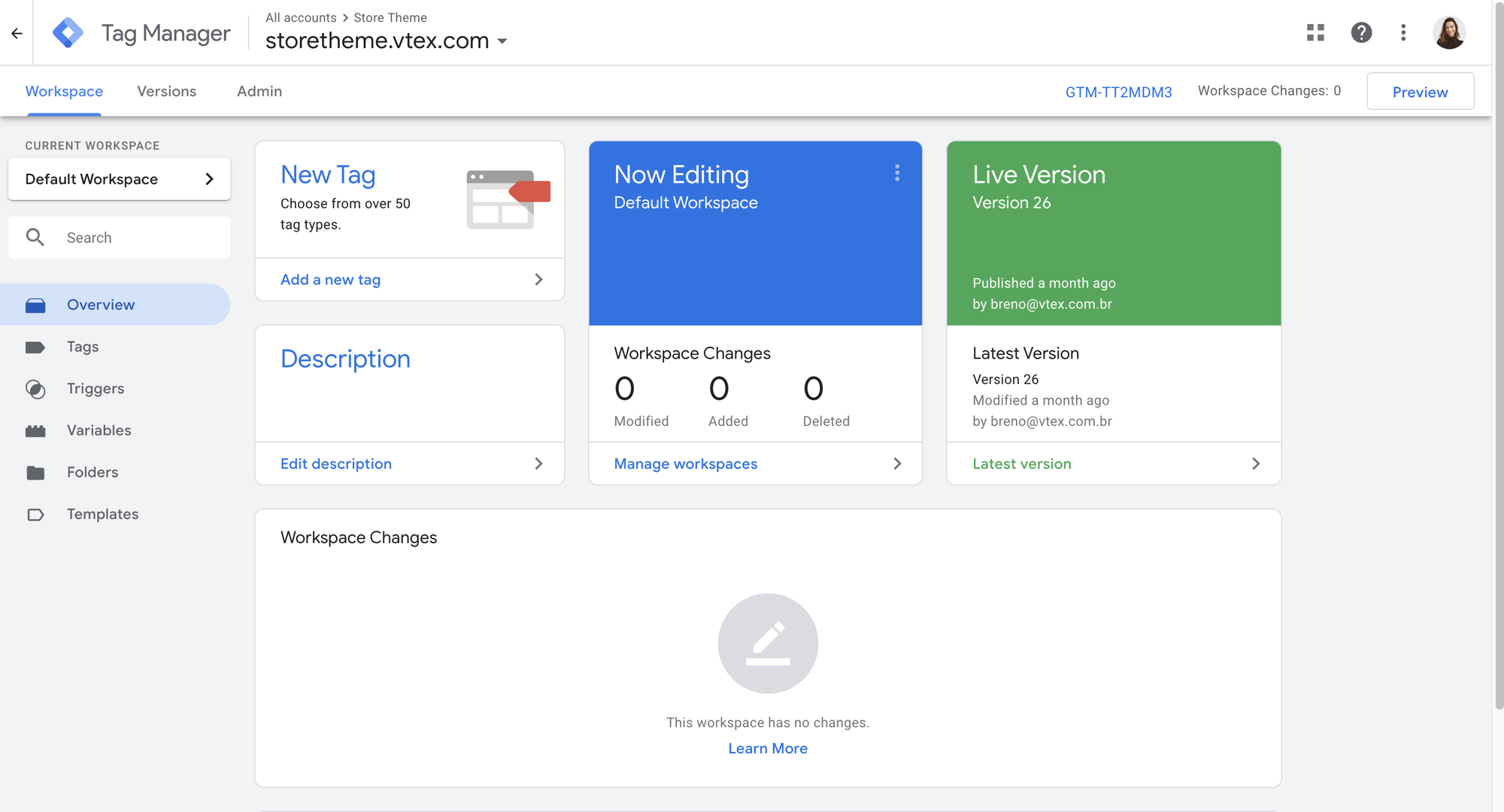
Google Tag Manager is free, has no usage limits, and is the piece most people skip. Without it, tracking a button click or a form submission means asking a developer every time.
GTM sits between your page and every other tool on this list. You add one container snippet, then fire events into GA4, Clarity, PostHog or an ad platform from a browser interface. A scroll-depth trigger, a click trigger on your primary CTA and a form-submit trigger cover most of what a landing page needs.
What the free plan includes: Everything. Unlimited containers, tags, triggers and variables. Version history, a preview mode and workspace permissions.
Where it stops: GTM costs time rather than money. Expect a day to get comfortable with triggers and the data layer. Poorly built containers slow pages down, which works against the thing you were trying to fix.
Best for: Anyone measuring more than pageviews.
6. Google Search Console
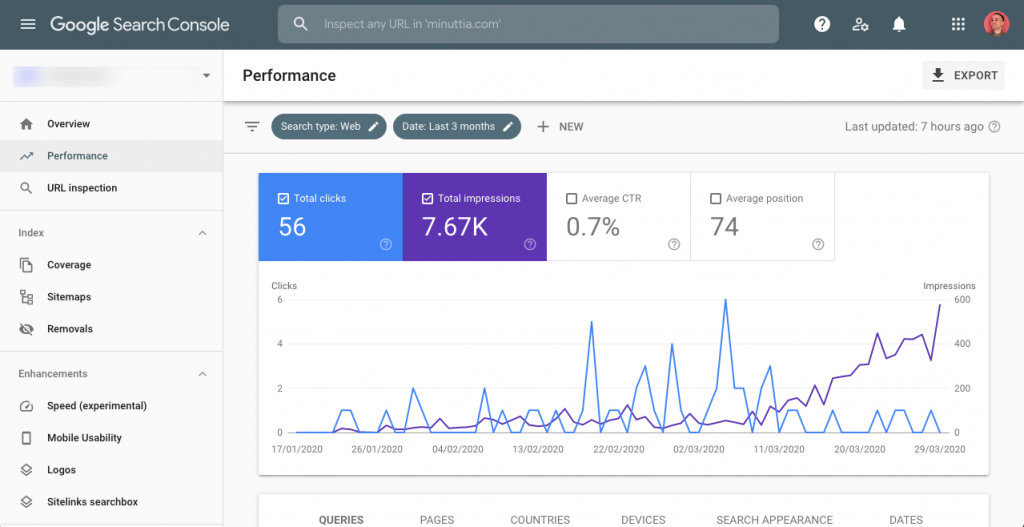
Search Console is the only free tool that shows what people searched before they landed, and how often they chose your result. For organic landing pages this data does not exist anywhere else.
Filter the Performance report to a single landing page URL. You get every query that page ranks for, impressions, clicks, average position and click-through rate, across 16 months.
Two uses for landing page work:
- Query-to-copy mismatch. High impressions and a low CTR means the title and description are not matching what people meant.
- Intent drift. New queries appearing against a page tell you the audience arriving has shifted, and the copy may no longer fit them.
Where it stops: You need verified ownership of the domain, so no competitor research. Data lags by two to three days. Paid traffic is invisible.
Best for: Landing pages that pull organic traffic.
Tools that find what is slow or broken
7. PageSpeed Insights and Lighthouse
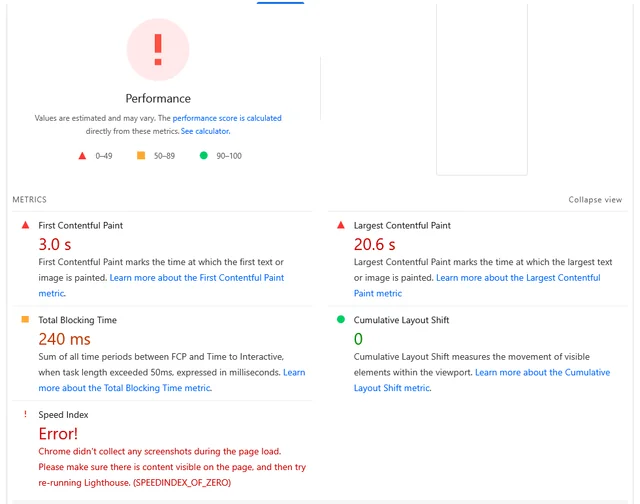
PageSpeed Insights is free, unlimited, and measures the load speed that decides whether anyone sees your landing page at all. Slow pages lose visitors before the headline renders.
Enter a URL and you get two data sets. Field data comes from the Chrome User Experience Report and reflects real visits over the past 28 days. Lab data comes from a simulated load. Field data matters more. Lab data explains it.
Watch three numbers:
- Largest Contentful Paint. Under 2.5 seconds.
- Interaction to Next Paint. Under 200ms.
- Cumulative Layout Shift. Under 0.1. This one bites hard on landing pages, where a late-loading hero image shoves the form down the screen just as someone reaches for it.
Where it stops: Lab scores swing between runs and rarely match what your visitors experience. Field data needs enough traffic to exist at all, so new pages show nothing. The tool tells you what is slow without telling you which fix is worth the engineering hours.
Best for: Every landing page, checked before and after any design change.
8. WAVE and axe DevTools
Both are free browser extensions that catch accessibility problems, and accessibility problems are conversion problems. A form field with no label breaks autofill. Low-contrast body text is unreadable on a phone in daylight. A focus state you removed for aesthetics makes keyboard checkout impossible.
Run either extension on a landing page and you get errors ranked by severity, with the offending element highlighted.
Where it stops: Both scan one page at a time, so this is manual work. Automated checks catch roughly a third of real accessibility issues. Neither tells you whether a fix will move conversion rate, so treat the output as a list of hypotheses.
Best for: Any page with a form, which is most landing pages.
Tools that let you test changes
Watching and measuring produce ideas. Testing tells you which ideas were right. This is the category where free options got worse in the last two years, so pick carefully.
9. GrowthBook
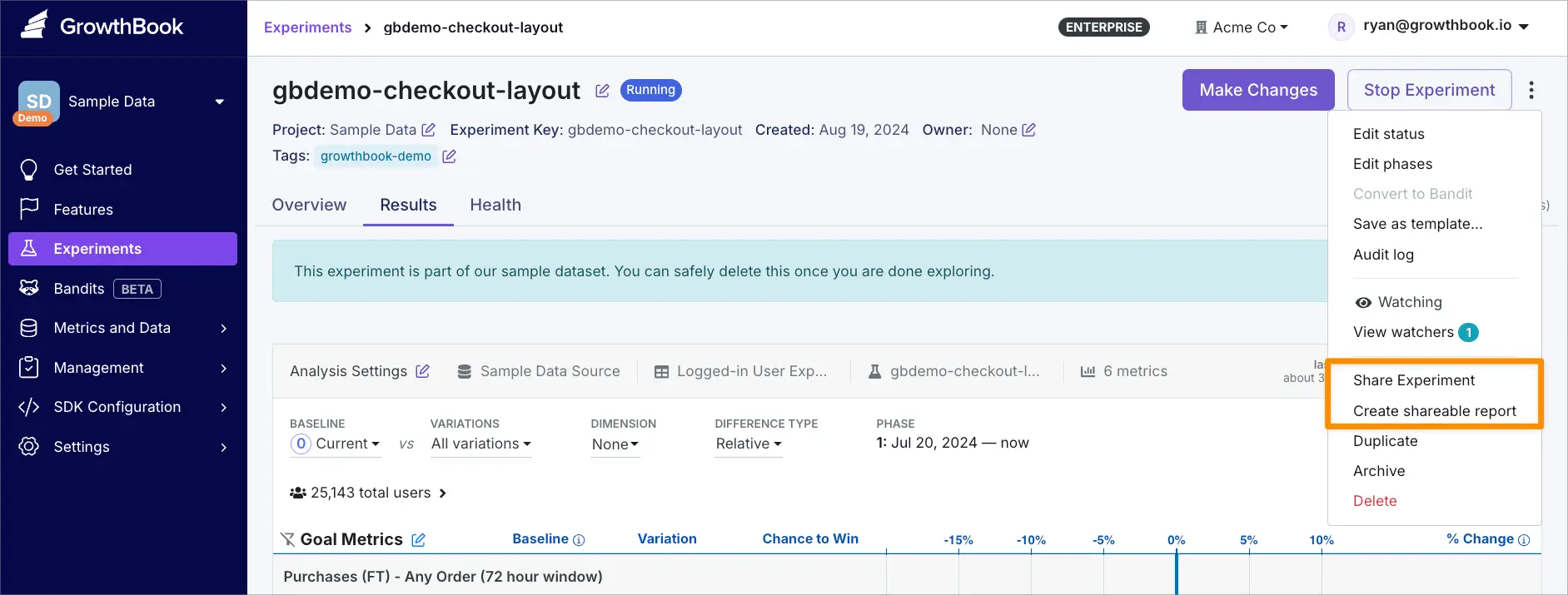
GrowthBook is the strongest free A/B testing tool for teams with a developer, and the only one here that is genuinely open source under MIT. Self-host it and you get unlimited experiments, unlimited feature flags and unlimited users for the cost of a small server.
GrowthBook does not store your event data. It reads from your warehouse, which means BigQuery, Snowflake, ClickHouse, Postgres and around eleven other sources. Metrics are SQL templates that run where your data already lives.
What the free plans include:
- Self-hosted: everything, unlimited, MIT licensed
- Cloud Starter: free for up to 3 users, unlimited flags and experiments, 1 million events a month on the managed warehouse
Where it stops: The visual editor is a Pro feature at $40 per user per month. That is the catch for landing page work specifically, since a marketer changing a headline without a deploy is exactly what a visual editor is for. CUPED, sequential testing and multi-armed bandits are Pro too. Self-hosting means you own uptime.
Best for: Teams with an engineer and a warehouse.
Pricing: growthbook.io/pricing
10. Statsig
Statsig's Developer tier runs unlimited experiments and feature flags free for up to 2 million events a month, with unlimited seats. The statistical engine is the same one OpenAI, Notion and Figma use.
What the free plan includes:
- 2 million metered events a month
- Up to 1 million monthly tracked users
- Unlimited seats, feature gates, experiments and metrics
- Session replay allowance
- No credit card
Flag checks that produce no allocation cost nothing, so disabled or finished experiments do not eat your allowance.
Where it stops, and this needs saying: Statsig changed hands twice in eight months. OpenAI acquired it in September 2025 for $1.1 billion. On 5 May 2026 Amplitude announced it was taking over the Statsig brand and customer base, and the engineering team stayed at OpenAI. Amplitude now owns a platform built by people who work somewhere else. Optimizely's CEO called it "a race car without a driver". Amplitude has committed to maintaining the platform, and the roadmap will converge with Amplitude's own product over time. Free-tier users carry little risk. Anyone planning to grow into a paid contract should treat the next renewal cycle as the real test.
Passing 2 million events triggers an upgrade prompt. Stay on Developer and targeting keeps working, but metric lift calculations stop.
Best for: Product teams that want a serious statistical engine without a bill.
Pricing: statsig.com/pricing
Two tools you will see listed that are not free
Google Optimize shut down on 30 September 2023. Nothing replaced it. Any 2026 article listing it has not been checked.
VWO's free Starter plan is effectively gone. VWO launched it after Optimize died, capped at 50,000 monthly tracked users. It has been cut back since late 2025. VWO merged with AB Tasty under Everstone Capital in January 2026 and moved upmarket, and paid pricing is now quote-only. Third-party research puts the Testing module around $314 a month at 10,000 tracked users.
Both still appear on lists published this year. Treat that as a signal about the rest of those lists.
How to build a free stack in an afternoon
Five steps, in order. Nothing here costs money.
- Install Clarity and GA4 through Google Tag Manager. One container, three tags. Around ninety minutes.
- Define one conversion event. Form submit, checkout start, whatever the page exists to produce. Fire it from GTM into GA4 and Clarity.
- Run PageSpeed Insights and an accessibility scan. Fix anything red before you test anything. A page that shifts layout on load will lose every test you run on it.
- Wait for 100 conversions or two weeks, whichever comes first. Then watch 20 recordings of people who did not convert and read the scroll heatmap.
- Write one hypothesis and test it in GrowthBook or Statsig. One change, one metric, one clear prediction.
When free stops being enough
Free tools break down at three predictable points.
Traffic. Session recording allowances go first. Clarity holds at any volume, but PostHog's 5,000 recordings and Contentsquare's replay cap arrive quickly on a page pulling real traffic.
Speed of testing. Free A/B testing is developer-time testing. Every variant is a deploy. Once you want more than one test a month, the visual editor you skipped starts costing more in engineering hours than it would in licence fees. Paid tools that solve this start around $200 a month, and Optimizely sits at the top end.
Analysis time. This is the real cost of a free stack. Clarity is free, and watching 40 recordings to find one insight takes a person two hours. Multiply that across a testing programme and the free tools are the expensive part.
That third point is why we built Splitsense. It reads your session data, forms hypotheses, builds the variants and reports the results, so nobody spends two hours a week watching recordings. Start with the free stack above. Move on when the analysis time costs more than the software would.
FAQ
What is the best free landing page optimization tool? Microsoft Clarity. It is genuinely free with no session cap, no paid tier and no trial period, and it gives heatmaps and session recordings on any traffic volume.
Can you A/B test a landing page for free? Yes. GrowthBook self-hosted runs unlimited A/B tests under an MIT licence. Statsig's Developer tier covers 2 million events a month free. PostHog includes experiments in its free tier. All three need a developer to implement variants, since free visual editors no longer exist.
Is Google Optimize still available? No. Google Optimize shut down on 30 September 2023 and has no direct replacement. GrowthBook, Statsig and PostHog are the closest free options.
Does VWO still have a free plan? Not in any useful form. The free Starter plan has been restricted since late 2025, and VWO merged with AB Tasty in January 2026 and moved toward enterprise pricing. Assume you will need a quote.
How many tools do I need? Four. One behaviour tool, one analytics tool, one speed tool, one testing tool. Clarity, GA4, PageSpeed Insights and GrowthBook cover all four for nothing.
Is Microsoft Clarity really free forever? Yes. There is no paid tier. Microsoft uses aggregated, anonymised data from Clarity across its own products, which is the trade you are making.
How much traffic do I need before A/B testing is worth it? Roughly 1,000 conversions a month gives you enough power to detect the size of change most landing page tests produce. Below that, spend the time on session recordings and page speed instead. A test that never reaches significance tells you nothing.
Do free tools work on Shopify? Yes. Clarity, GA4 and Tag Manager all install on Shopify through the theme or a pixel. GrowthBook and PostHog need a developer to wire variants into the theme code.